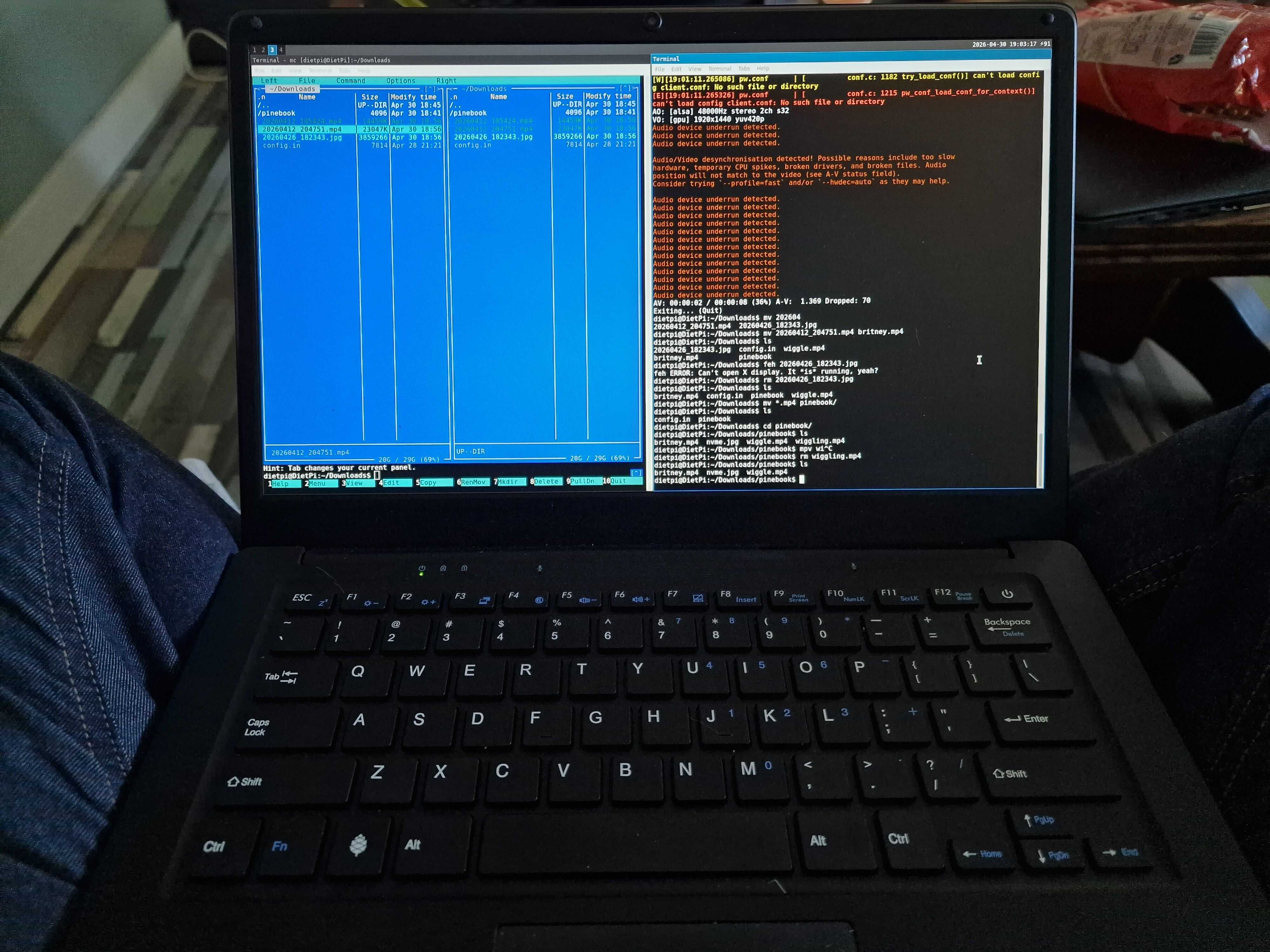
I was looking for some new laptop for more than a year
My current laptop which is really old HP Elite Book 820 is a really good machine. 32G of ram. Pretty fast CPU. 12' screen and decent amount of USB ports.
Sadly it does not have USB C. Every time I bring it to binge watch media in the living room I need to either charge it fully or bring back heavy charger with me. I don’t want to do this anymore. Laptop can work on battery around 1.5h and that’s also way to little for me.
That’s why I started to look for replacement. Something small and portable which will have good battery and allow me to write blog posts without need for heavy equipment.
Laptop like Pinebook Pro. [1]
How I managed to buy laptop for 60 euros
From time to time I type "Pine64" on Markplaats [2] to check if there are some second hand devices in reasonable prices. This time I managed to find Pinebook Pro but there were also other devices like Pinephone and Pinetime.
I managed to get it for 60 euros which is way bellow it’s original price which since couple of years stay around 400 euros. I did not have to pick it up myself, DHL delivered it in a pretty nice package.
Laptop arrived with huge sticker on top which even though gave it IT nerd vibe, sadly was AI generated so removal of it was my first priority.
What is ARM architecture and why it’s different than most of computers on the market
To put it simply. This laptop uses CPU which is usually found in small devices like Raspberry PIs, cheap phones etc.
The advantage of this is that the power consumption is really tiny. The disadvantage that it’s slow. Not that ARM64 architecture is slow in general. Recent Macbooks show that it can be pretty fast but Apple use expensive, high end chips. A53 costs around 15 euros [3] on Alibaba.
First issues
The first problem I encountered was related to the fact that laptop was not turning on. Since it’s not my first Pine64 device I knew that probably previous owner did not charge it for very long time and that’s the issue. So I plugged it in for 4 hours and in the meantime I started to read about spectrum of OSes which I can install on my newly bought beast.
How big was my surprise when after 4 hours it was still not turning on… Well actually my surprise was not that big. I read that if it’s really discharged and you don’t have have the regular charger but only the USB C one, it can really take hours to get battery up and running.
So I kept it plugged to charger for a bit longer and as main OS picked new Manjaro which after reading Software Releases [4] seemed like a good choice. After like 9 hours of charging I pugged in my newly dd MicroSD card and pressed turn on key. Nothing. Black screen, but! Red dot on keyboard was now up and shining.
That meant one thing. My laptop can’t boot OS. After reading more docs I noticed something about SPI, eMMC and SDCard. So picture this… Pinebook Pro has a special, manual switch under the back cover which tweaks if boot should happen from SDCard of eMMC.
A bit of screwing with screwdriver and I had it open. Build quality of this laptop reminds me bit of my Renault Kangoo. Cheap plastic, everything squeaks and screws do not fully screw BUT keyboard, screen and everything which actually laptop needs is just perfect. Decent quality in places that are actually fucking needed.
Switch on or off. I still don’t know as the label is too small. Power On and Manjaro installation started to boot. Your IT boi was really excited as I have not installed any new Linux distro since a year. Quickly! Next, next, keyboard polish, next, Amsterdam; SHABANG! Done! Do you want to restart. Bitch you don’t have to ask me twice.
And it never turned on again… At least not till I bought an MicroSD to eMMC adapter [5].
You see. My installation apparently wiped out important part on eMMC responsible for proper booting of OS.
First I ordered adapter from Amazon that fucked me up as delivery was planned in JUNE… Thank you Amazon and Donald Trump. I’m amazed how much time it takes for electronics to go from China to Europe after oranje man decided to bomb Iran.
Either way. Delivery was canceled and I ordered 3 times as expensive adapter from Bol.com
More issues
Deep breath. Another take.
So yes. Adapter came 2 weeks later and I immediately installed Manjaro on it. My first 20 minutes were focussed on trying to fix package updates as at the time pacman -Syu was giving me a lot of errors related to outdated software. How could it be, that on a recent build of Manjaro downloaded from their website [6] packages are outdated? You see last build on their github is actually from 2023 [7]. So when you do pacman -Syu there are so many changes that they cannot be simply applied.
I only found about it after reading this blog [8].
So after installation I had to wipe it out and install something else. But before I did that I noticed one really annoying issue …
GOD KURWA PLEASE KILL ME IT’S INSANE HOW MUCH TIME I SPENT ON THIS
Whenever I assembled the back of the laptop and put my hand on the touchpad the whole OS would restart. It took me 3 days to figure out what is actually going on. The problem was not there when back lid detached.
So … It was the NVMe drive which whenever I pressed my hand on touchpad would touch other component and probably short circuit somewhere.
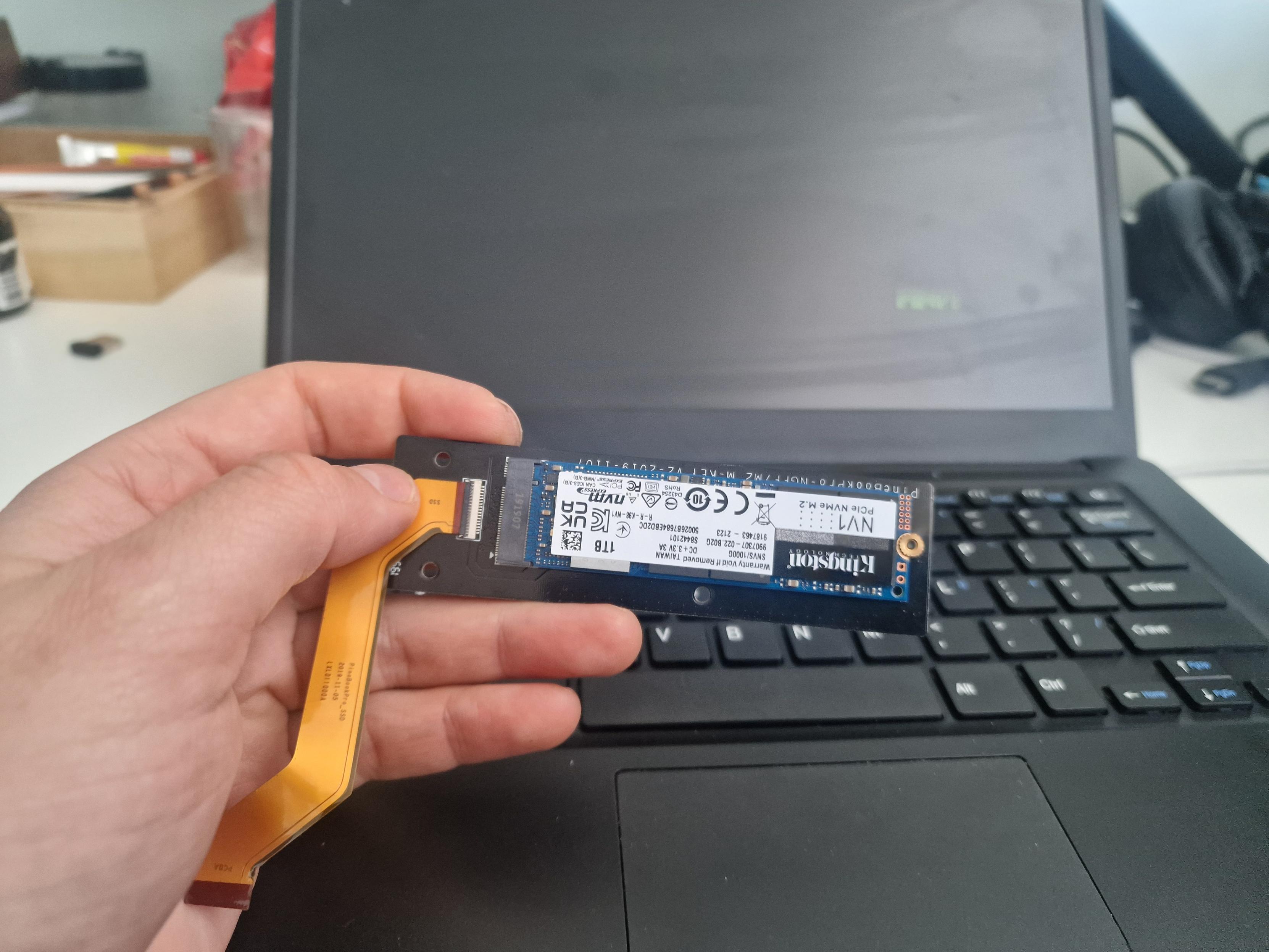
I tried to fix it for 1 more day. I changed screws, applied different tape on top so was not touching any other component. Nothing worked. Finally I had to say "BYE BYE" to my 1TB NVMe drive…
I tried other recommended operating systems
Armbian is simply not booting, Kali Linux has issues and it’s slow, Postmarket OS does not boot with wifi drivers enabled.
What? What do you say? DietPi? Do I really need to install OS which has Raspberry Pi in the name? Ok, FUCK IT. I need this laptop to work so let’s try it.
A pleasant surprise
So DietPi [9] it is. Installation was really straightforward. I had to tweak some thing and it took like half an hour but it booted without any issue. XFCE [10] was a bit slow but my experience with Manjaro was that Sway [11] is the way to get Pinebook display my windows smoothly.
So I installed it with Docker, ruby, NodeJS, PHP, Python, VS Codium and many other packages and it all just works.
I still haven’t figured out how to get audio working and my Britney Spears look uncanny without music background. But yeah. Everything else works.
One last tweak I had to do was to display battery status in Sway bar:
date=$(date '+%Y-%m-%d %X')
battery=$(cat /sys/class/power_supply/cw2015-battery/capacity)

echo $date ⚡$battery
And now it looks okish.
It’s actually working and I quite like it
In conclusion of my semi rant I want to say that even though it was hell, took me 3 weeks and still gives tiny issues… I like it.
If I paid for this laptop original price of 395 euros [12] I would be mad. Like really I would loose my shit since it not a production ready laptop. The PRO in it suggests like the device is from higher shelf but if this laptop lags while displaying simple youtube video I can’t even imagine how slow the original Pinebook is.
I previously had other Pine64 products.
- Pinephone [13] with keyboard case - it’s not usable at all. The phone is so laggy that it’s not possible to accept phone calls on time…
- Pinetime [14] - the actually good device. I hacked it a lot and wrote quite some C++ for it. Support is great. Everything is really good except the price of almost 70 euros. I paid like 30 for 3 of them with development kit couple of years ago.
So I knew how slow Pine64 devices are. Still I like them. It’s the only company that sells such garbage for IT freaks like me. Also I see that there are now new devices which are planned for release and they have really good specs. Especially the Pinetime Pro [15] which looks better than Apple Watch.
Conclusion - things I like
- Passive cooling
- Keyboard
- Possibility to actually repair it
- Battery has decent capacity, I used it for 3/4 hours and it seems to be OK
- Second hand price of 60 euros
- Manual switches to turn of devices (but for example wifi once turned off only turns on after reboot XDD so idk…)
Sources
[1] “Link to Pinebook Pro.” [Online]. Available: https://pine64.org/devices/pinebook_pro/.
[2] “Markplaats.” [Online]. Available: https://www.marktplaats.nl/.
[3] “ARM Cortex-A53 price on Alibaba.” [Online]. Available: https://www.alibaba.com/showroom/64bit-quad-core-arm-cortex-a53.html.
[4] “Documentation of Pinebook Pro.” [Online]. Available: https://wiki.pine64.org/wiki/Pinebook_Pro_Software_Releases.
[5] “MicroSD to eMMC adapter I bought from bol.com.” [Online]. Available: https://www.bol.com/nl/nl/p/odroid-emmc-microsd-kaartlezer-adapter/9300000235174326/?Referrer=NLGOOFS&utm_source=google&utm_medium=free_shopping.
[6] “Page from Manjaro which suggests that builds are up to date.” [Online]. Available: https://manjaro.org/products/download/arm.
[7] “Github of Manjaro-Arm which shows last build from 2023…” [Online]. Available: https://github.com/manjaro-arm/pbpro-images.
[8] “Is Manjaro ARM dead?” [Online]. Available: https://blog.strits.dk/is-manjaro-arm-dead/.
[9] “DietPi software download.” [Online]. Available: https://dietpi.com/docs/hardware/.
[10] “XFCE window manager.” [Online]. Available: https://www.xfce.org/.
[11] “SWAY window manager.” [Online]. Available: https://swaywm.org/.
[12] “Pinebook Pro EU Price 395 euro.” [Online]. Available: https://pine64eu.com/product/14-inch-pinebook-pro-linux-laptop-ansi-us-keyboard/.
[13] “Pinephone.” [Online]. Available: https://pine64eu.com/product/refurbished-no-os-pinephone-beta-edition-with-convergence-package/.
[14] “PineTime SmartWatch.” [Online]. Available: https://pine64eu.com/product/pinetime-smartwatch-sealed/.
[15] “Pinetime Pro.” [Online]. Available: https://pine64.org/2026/03/28/pinetime_march_2026/.